
Compatibility Framework
Mod Introduction
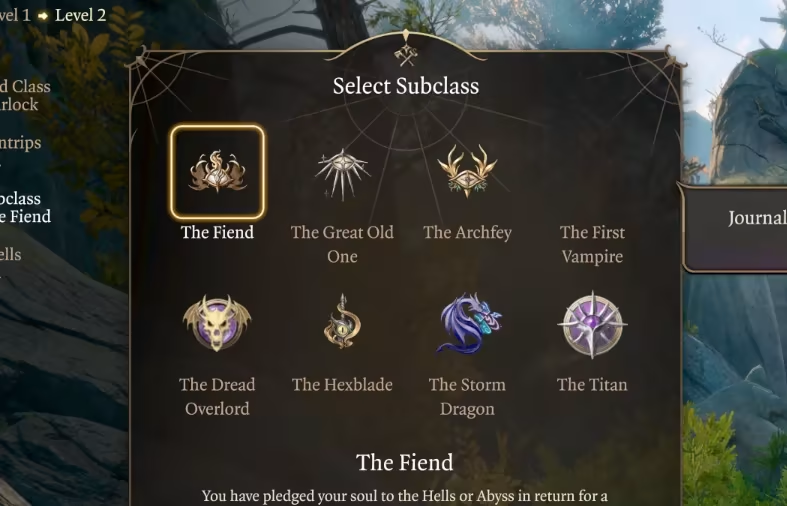
This is the Compatibility Framework. Split off from BG3 Community Library, this mod provides an API for other mods to use improve compatibility. Initially designed for Subclass Compatibility, the Framework has API endpoints that Script-Extender Enabled mods can hook into to insert values into Progressions, Feats, and Lists at Runtime.
Link to the modInstallation Guide

This is the Compatibility Framework. Split off from BG3 Community Library, this mod provides an API and easy JSON Configuration-based compatibility loader for other mods to use improve compatibility. Initially designed for Subclass Compatibility, the Framework has API endpoints that Script-Extender Enabled mods can hook into to insert values into Races, Progressions/Feats and Spell/Skill/PassiveLists at Runtime. What this means is that a mod author can inject their mod's data into existing Progressions, Feats, Races, or Lists without overwriting data, allowing for total compatibility. If you want to know which mods are currently supported, check out this list.
The BG3 Compatibility Patcher and Spell List Combiner are two alternatives, that take different approaches to handling compatibility with Progressions and Lists.
If you like my work, please consider leaving a tip on Ko-fi! Neither my mods, nor support for them, will ever be gated behind or be based on payment or donation - this is just for if you feel like encouraging my coffee habit xD
Contributing
The Compatibility Framework makes it easy to set mods that work with Progressions or Lists up for compatibility with other mods that alter the same things. You can utilize the Framework's API (Template Provided), or add a small amount of code to a single file. To find out how, check out our Wiki page.
Usage
Our Wiki on GitHub has useful documentation on using the Compatibility Framework, both via its API and its JSON Configuration loader methods. For quick links to documentation on specific parts of the Framework, see this list:
Races.lsx Compatibility
Lists Compatibility
Progressions Compatibility: Subclasses
Progressions/Feats Compatibility: Selectors
Progressions/Feats Compatibility: Boosts/Passives/Requirements
Progressions/Feats Compatibility: Booleans
Action Resource Group Definitions Compatibility
Installation
This mod works with Baldur's Gate 3 Mod Manager, and possibly Vortex and Manual Installations. BG3 Mod Managers is by far the simplest method, and as such is recommended one.
Load Order
- If you're updating to Compatibility Framework 2.3.0 or higher, you can safely delete SubclassCompatibilityFramework, as it has been renamed.
- If using Community Library, you no longer need CommunityLibraryDummies, which can be safely deleted.
- If you're updating to Compatibility Framework 2.0.0 or higher, you can safely delete SubclassCompatibilityFrameworkDummies.
BG3 Mod Manager[list=1]
Download the latest release, and unzip the .pak file.
Open BG3 Mod Manager, click File->Import Mod.
Select CompatibilityFramework.pak.
Once imported, click refresh
Move CompatibilityFramework to bottom of load order (highest number in BG3MM)
Hit "Save Load Order to File."
Recommended Mod Management Tools
Laughing Leader's Mod Manager
Other Recommended Mods/Pages
Baldur's Gate 3 Modding Community Discord
Acknowledgements
Larian Software, for working on Baldur's Gate 3 and bringing 5th Edition to PC.
LaughingLeader, for explaining how to do Configuration Loading
The Baldur's Gate 3 Modding Community.
Kvalyr for explaining how to Expose an API effectively
https://github.com/ShinyHobo for their work easing the process of creating .pak files.
Alana for the creation of the Mod Manager Compatibility Images.
No comment
